
Setting Up Your Proxy Client Effectively
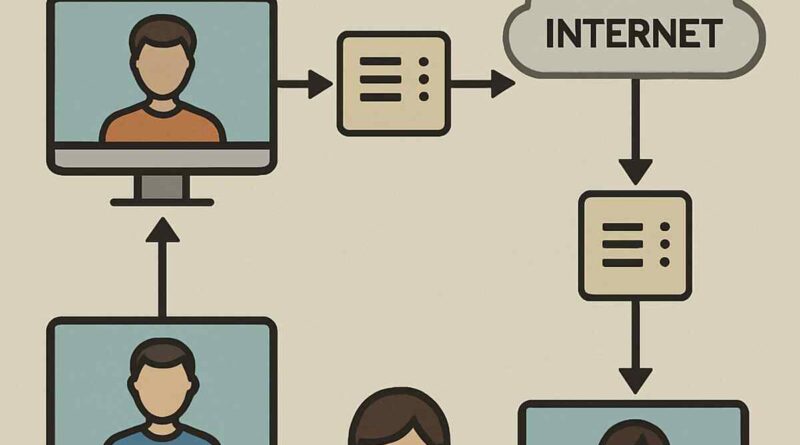
The proxy client acts as a conduit through which requests from a user’s computer are forwarded to the internet. It provides a critical intermediary function, masking the user’s IP address and offering a vital layer of security and privacy. Whether you’re trying to maintain anonymity or access geo-restricted content, the use of proxy servers is indispensable. Beyond anonymity, proxy settings can enhance network performance by caching data and reducing bandwidth usage. Choose the best proxies for scraping.
The Role of Proxy Services
Proxy services encompass a broad spectrum of functionalities, including the management of internet traffic, monitoring user activity, and filtering content. Acting as gatekeepers, they ensure that data requests are legitimate and that sensitive information remains confidential. This dual role of protection and efficiency makes understanding proxy services essential for configuring your proxy client to meet specific security and performance needs. The ability to filter content also allows organizations to enforce internet usage policies, thus safeguarding against potential internal threats.
Privacy and Anonymity
One of the most appealing aspects of using a proxy client is the enhanced privacy it offers. By masking your IP address, a proxy ensures that your online activities remain anonymous, protecting your identity from potential cyber threats. This anonymity is particularly beneficial in safeguarding personal data when browsing on public Wi-Fi networks. Furthermore, proxies can prevent websites from tracking your browsing habits, thus enhancing your overall privacy.
Performance Optimization
Beyond security, proxy clients can significantly boost network performance. By caching frequently accessed content, proxies reduce the need for repeated data requests, leading to faster loading times. This reduction in data transfer not only enhances user experience but also conserves bandwidth, making it a cost-effective solution for businesses. Moreover, the ability to control and manage traffic flow ensures that network resources are utilized efficiently, preventing congestion and maintaining optimal speeds.
Selecting the Right Proxy Server

The selection of an appropriate proxy server is foundational to the effective operation of a proxy client. Factors such as server location, speed, and security protocols should guide this decision. Choosing a server that aligns with your geographical requirements ensures optimal speed and access to region-specific content. Additionally, evaluating the security measures in place, such as encryption standards, is critical for safeguarding data integrity.
Considerations for Server Location
Selecting a proxy server’s location is crucial for optimizing connection speed and accessing content. A server located closer to your physical location typically offers faster speeds due to reduced latency. For accessing geo-restricted content, choosing a server in the desired region is essential. It’s also important to consider the legal implications of server locations, as different countries have varying regulations regarding data privacy and internet usage.
Evaluating Speed and Performance
Speed is a critical factor when selecting a proxy server. High-speed servers ensure smooth browsing and quick access to resources. It’s beneficial to assess the server’s bandwidth capacity and user load, as overcrowded servers can lead to slow performance. Many proxy providers offer speed tests and performance metrics to help users make informed decisions. Additionally, considering servers with load balancing features can enhance overall performance by distributing traffic evenly.
Security Protocols and Standards
Security is paramount when selecting a proxy server. Ensuring that the server employs robust encryption protocols, such as SSL or TLS, is vital for protecting data integrity during transmission. It’s also important to verify the server’s reputation and reliability, as some proxies may log user data or facilitate cyber threats. Opting for servers with a no-log policy and advanced security features can provide peace of mind and ensure a secure online experience.
Configuring Your Proxy Client
The configuration of your proxy client involves precise adjustments to network settings, ensuring that all internet traffic is routed through the chosen proxy server. This section will delineate the steps necessary for proper setup across different operating systems.
Proxy Settings on Windows
- Access Network Settings: Begin by navigating to the Control Panel and selecting ‘Network and Internet’, followed by ‘Internet Options’. This section allows you to manage how your computer connects to the internet.
- Configure LAN Settings: Within the ‘Connections’ tab, click on ‘LAN settings’. Here, you’ll check the box labeled ‘Use a proxy server for your LAN’ and input the IP address and port of your chosen proxy server. This step is crucial for redirecting your internet traffic through the proxy.
- Advanced Configuration: For those seeking granular control, select ‘Advanced’ to configure exceptions and specify addresses that should bypass the proxy. This feature allows for flexibility in managing which applications or websites connect directly to the internet.
Proxy Configuration on macOS
- Open System Preferences: Start by clicking on the Apple menu and selecting ‘System Preferences’, then ‘Network’. This section is where you manage your network connections.
- Select Your Network: Choose the network connection you are using (e.g., Wi-Fi or Ethernet) and click ‘Advanced’. This step allows you to access detailed network settings for your current connection.
- Configure Proxies: In the ‘Proxies’ tab, select the type of proxy server (HTTP, HTTPS, or SOCKS) and enter the server details. This configuration ensures that your internet traffic is routed appropriately through the proxy server.
Proxy Configuration on Linux
- Access Network Settings: Navigate to your system’s network settings, typically found within the system settings or control center.
- Select Network Connection: Choose the active network connection, such as Wi-Fi or Ethernet, to access its properties.
- Configure Proxy Settings: Within the network settings, locate the proxy configuration section. Input the necessary details, such as proxy type, IP address, and port number, to route your traffic through the proxy server.
Testing and Troubleshooting Your Proxy Setup
Once configured, it is imperative to test the proxy client to ensure it is functioning as expected. Use online proxy testing tools to verify that your IP address is successfully masked and that the proxy server is operational. Common issues may arise, such as connection errors or slow speeds, which can often be resolved by verifying server details, checking firewall settings, and ensuring that the proxy server is not overloaded.
Testing Your Proxy Configuration
To verify your proxy setup, utilize online testing tools that check if your IP address is masked and the proxy is functioning. These tools can confirm that your internet traffic is routed through the proxy, ensuring anonymity. Regular testing is advisable to maintain optimal performance and security. Additionally, observing the speed and reliability of your connection can help identify potential issues early on.
Troubleshooting Tips
- Verify Credentials: Double-check the IP address and port number of the proxy server, ensuring there are no typographical errors. Accurate input is crucial for a successful connection.
- Check Firewall Settings: Ensure that your firewall is not blocking the proxy client, allowing it to connect to the internet without obstruction. Adjusting firewall rules may be necessary to facilitate smooth operation.
- Switch Servers: If persistent issues occur, consider switching to a different proxy server to determine if the problem is server-specific. This process can help isolate and resolve connectivity issues.
Common Connection Issues
Connection errors can stem from various sources, including server downtime or incorrect configuration. Check the proxy server status to ensure it is operational. Additionally, verify that your network connection is stable and that there are no interruptions. Resolving these issues promptly ensures a seamless and secure browsing experience.
Advanced Proxy Client Features
Advanced users may wish to explore additional features offered by proxy clients, such as automated switching between multiple proxies, encrypted connections for enhanced security, and the use of proxy chains to further obfuscate internet activity.
Automation and Scripting
For users with technical expertise, scripting can automate the switching of proxy servers based on predefined criteria, such as network speed or server load. This enhances the flexibility and efficiency of your proxy setup, adapting to changing network conditions seamlessly. Automation scripts can also schedule proxy changes, ensuring optimal performance at all times. By leveraging scripting, users can significantly reduce manual intervention and streamline their browsing experience.
Proxy Chains
Implementing proxy chains involves routing your internet traffic through multiple proxy servers, thereby increasing anonymity. This technique is particularly useful for users who require an additional layer of security or are operating in environments with stringent internet censorship. By chaining proxies, users can obscure their online activities, making it difficult for third parties to trace their internet footprint. However, it’s important to note that while proxy chains enhance anonymity, they may also introduce latency due to the multiple hops involved.
Encrypted Connections
Encryption is a vital feature for ensuring the security of data transmitted through proxy servers. By utilizing encrypted connections, such as those provided by SSL or TLS, users can protect sensitive information from interception. This is especially important when accessing financial services or transmitting confidential data. Implementing encryption in your proxy setup not only safeguards data integrity but also enhances user trust by ensuring a secure browsing environment.
Conclusion
The effective setup of a proxy client is a nuanced process that requires careful consideration and meticulous configuration. By selecting the appropriate proxy server, adjusting settings for your specific operating system, and testing the configuration, you can achieve a secure and efficient proxy setup. Advanced features offer further customization, allowing users to tailor their proxy experience to meet specific needs. With this guide, you are now equipped to navigate the complexities of proxy client configuration with confidence and precision. Embrace the power of proxies to enhance your online security, privacy, and performance, creating a more controlled and protected digital environment.